Make the graph yours.
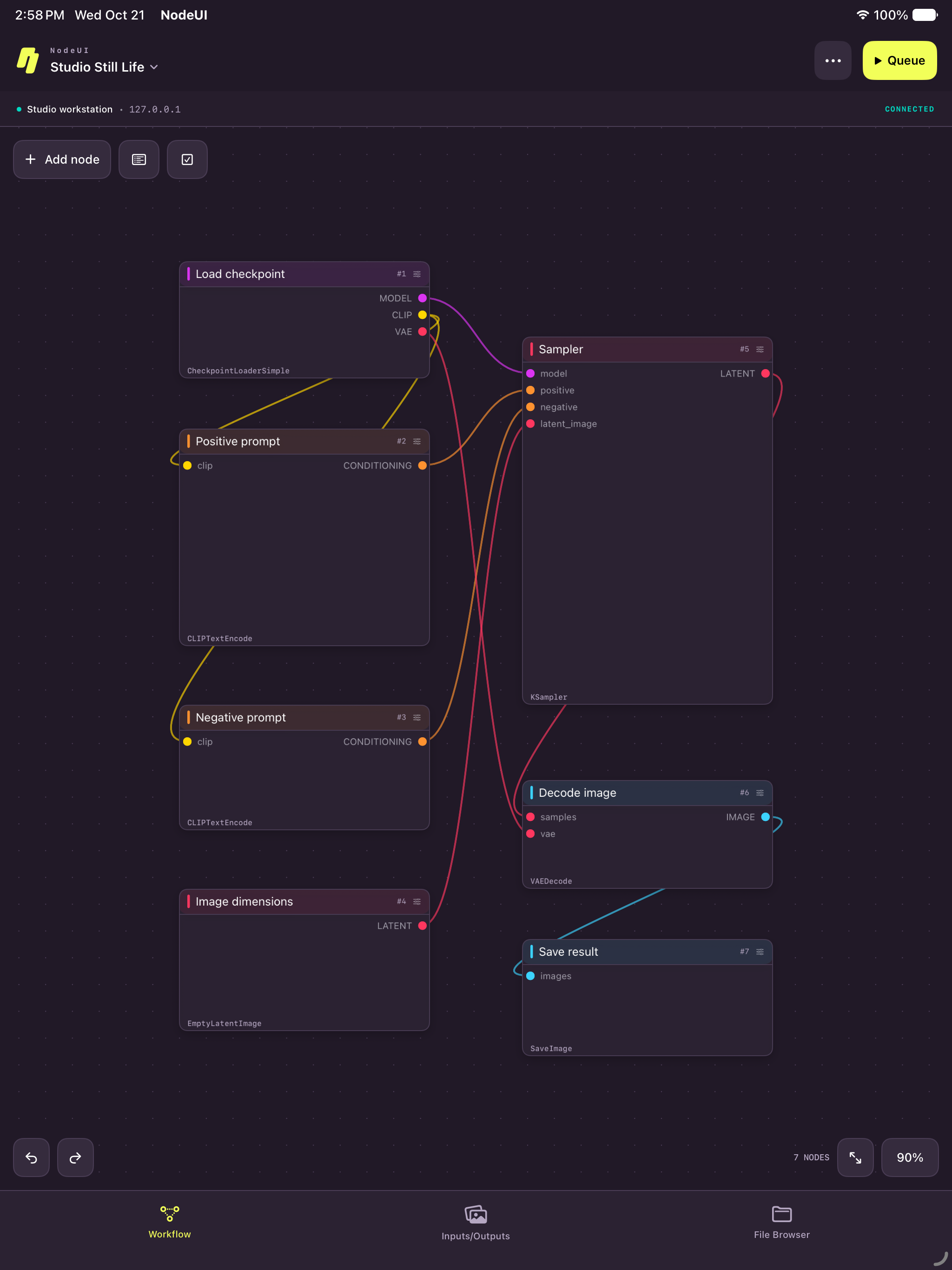
Pan, zoom, connect, group, and inspect. Move and resize nodes with a deliberate preview, then confirm or undo. Explore nested node groups without losing the bigger picture.
 NodeUIBy Guhl Design Studio
 COMFYUI, AT YOUR FINGERTIPS.
A native workspace for ComfyUI on iPhone and iPad. Shape the workflow, send it to your computer, and follow the result.
In development · Planned one-time price $4.99 USD
BUILT FOR iPhone + iPad
REQUIRES iOS / iPadOS 26+
POWERED BY Your ComfyUI computer
LESS DISTANCE. MORE MAKING.
Edit in a canvas built for your hands, with your own computer doing the heavy lifting.
Pan, zoom, connect, group, and inspect. Move and resize nodes with a deliberate preview, then confirm or undo. Explore nested node groups without losing the bigger picture.
Queue a workflow, watch progress and live previews, then browse results and execution history. Bring images in from Photos or Files and save or share the output.
Connect to ComfyUI on your computer. Import and export workflow JSON, save back to your server, and keep local drafts. Add the optional companion for complete folder browsing and file transfers.
Browse the official ComfyUI template catalog, open a workflow as a local draft, and adapt it. Required models and custom nodes still belong on your connected computer.
THE DETAILS, RIGHT AT HAND.
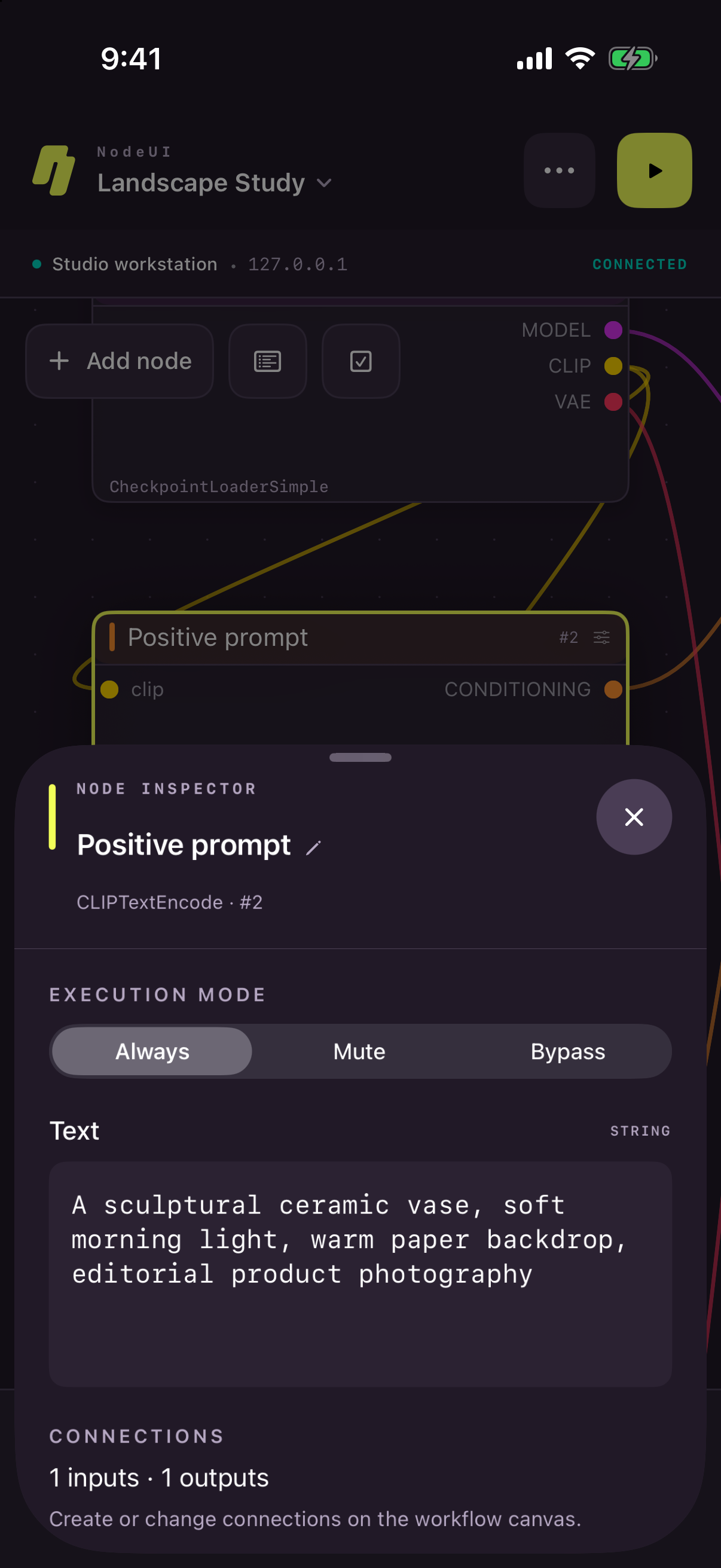
Tap into the settings that shape your result. Edit prompts, choose models, and fine-tune the numbers in a native inspector that fits your screen.
Your graph stays in view, so the details always have a place in the bigger picture.
Meet the controlsA COMPANION TO YOUR COMPUTER.
NodeUI is an independent client for ComfyUI. It does not run AI models on your iPhone or iPad, and the app price does not include a hosted GPU, model downloads, or third-party credits.
Use a reachable ComfyUI installation on a computer with the models and custom nodes your workflow needs. Some browser-only extensions are not supported; nested groups must be expanded in desktop ComfyUI before running this version.
Connection guide & compatibility
MADE BY GUHL DESIGN STUDIO.